Start well

Integrate Gonexa solutions easily

1st stage

Install the package

Download the Gonexa application on the environment of your choice (Sandbox or Production)
Icon-Check-Light-Blue
Installing the package
Icon-Check-Light-Blue
Basic setup
Icon-Check-Light-Blue
Permission set to be assigned
Illustration-Appexchange
2nd stage

Create your first document template

Set up your template using our assistant as well as our pre-designed document templates
Icon-Check-Light-Blue
Construction assistant
Icon-Check-Light-Blue
Pre-designed document templates
Icon-Check-Light-Blue
Design in Word, Excel, Powerpoint, or PDF
Illustration-Web-Assistant
3rd stage

Add the “Generate” button

Use an Action at the top of the page or the generation component on the page
Icon-Check-Light-Blue
Choose the best integration
Icon-Check-Light-Blue
Filter the relevant model
Icon-Check-Light-Blue
Set the allowed output format
Illustration-Generate-Button

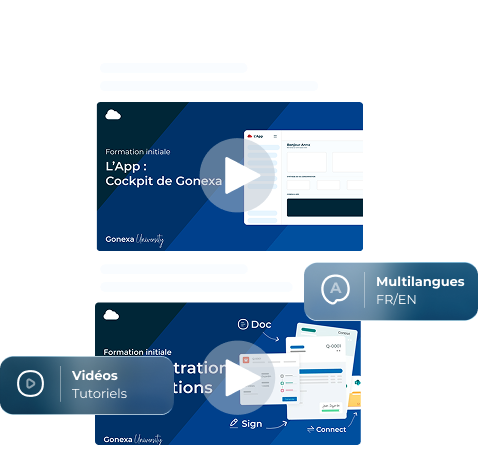
Train your teams easily

A free training platform to quickly make your teams autonomous and expert
Icon-Check-White
Key & more advanced features
Icon-Check-White
Multi-language format FR/EN
Icon-Check-White
Video tutorials & user manuals
Well integrated, well adopted

A tripartite success

Image-Consultant

Customers

Improve your processes, increase efficiency and strengthen your brand image.
Customer stories
Customer stories
Image-Job

Users & Admins

Maintain total control over your document templates with an intuitive solution.
Gonexa University
Gonexa University
Image-Admin

Salesforce consultants

Become a certified Gonexa expert and guarantee the success of your customer integrations
Becoming a partner
Becoming a partner
TESTIMONIAL
Optimiser sa performance
Quote-White
Massilly
“Je peux dire qu’aujourd’hui Gonexa est l’un des meilleurs support que nous avons en terme d’accompagnement, on en entend que du positif ! "
TESTIMONIAL
Une expérience haute couture
Quote-White
Cmonassurance
"Nous avons choisi la solution Gonexa pour sa capacité à couvrir le périmètre fonctionnel que nous avons adressé, à la fois la génération de documents et également l'automatisation de l'envoi de ces documents"
TESTIMONIAL
Vers un outil unique
Quote-White
CMA Nouvelle Aquitaine
"Ce qui est intéressant avec Gonexa, c'est qu'il y a une superbe plateforme de formation, très bien documentée, avec des vidéos qui permettent de monter en compétence très rapidement."

What certifications does Gonexa hold?

Gonexa meets the highest security and compliance standards:
  • ISO 27001: guarantees a reliable information security management system.
  • HDS (Health Data Hosting): ensures a high level of requirements for hosting sensitive data.
  • Salesforce AppExchange: a solution validated and tested according to the strict criteria of the Salesforce marketplace.

Where does the data storage and processing take place?

Gonexa does not store any personal data.
  • Only document templates, composed of technical tags, are retained.
  • Signed documents and their audit trail are archived by the trusted third party Arkhinéo.
Our infrastructure is based on Microsoft Azure, whose servers are located in Europe, primarily in France and Germany.

How do I know what signature level is right for me?

The level of signature depends on several factors: the type of process to be secured, the level of legal risk, the need to identify the signatory... Our teams can guide you, but the final validation must be carried out with your legal department, as each organization has its own requirements.

What happens if the contract is exceeded?

No blocking, no specific overage charges. If your consumption exceeds the contracted volume, we simply adjust your subscription via an additional charge.

What is the difference between Gonexa and other solutions on the market?

Gonexa combines:
  • 100% Salesforce expertise
  • Simple administration
  • Premium support from experts
  • A transparent pricing model based on volume
Result: a powerful solution that's easy to operate on a daily basis.

Ready to get started?

Book an appointment with an expert